New features implemented in RPACT Cloud

Friedrich Pahlke

November 25, 2026

RPACT Cloud

RPACT Cloud 2.9.0 — Count endpoints

  • Plan and simulate trials with count outcomes directly in the app.
  • Quick Start offers templates for sample size, power and power simulation (since version 3.0.0).
  • For example, choose Counts to start planning a two-arm trial with a count endpoint.
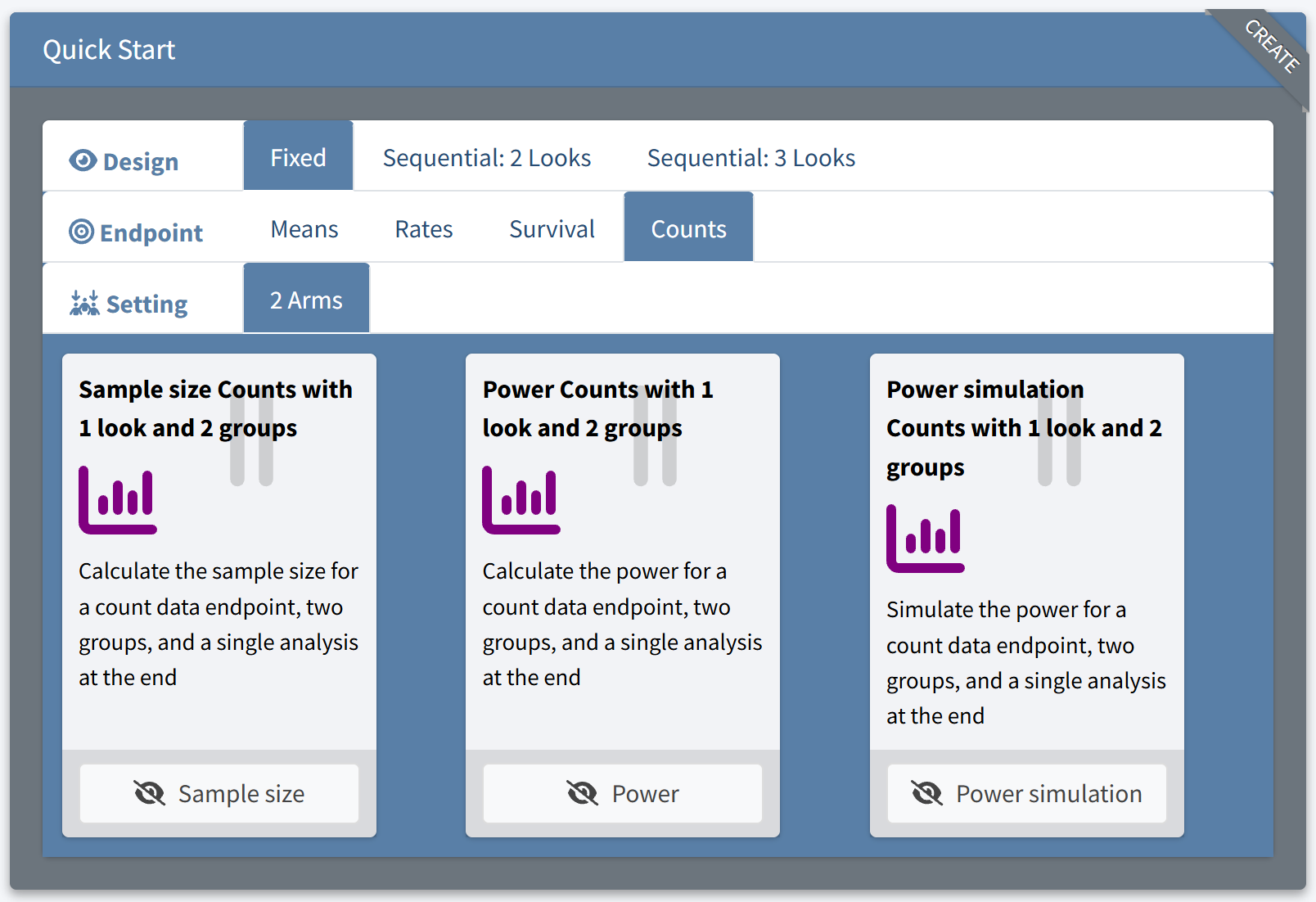
Quick Start with the Counts endpoint selected

RPACT Cloud 2.9.0 — Interim stopping rules

  • Futility on the scale you use. Specify a futility boundary on a scale such as the p-value scale and view it in the p-value boundaries plot.
  • Stopping rules by interim analysis. For group sequential and inverse normal designs with alpha spending, switch efficacy and futility stopping on or off separately at each interim. For example, allow futility stopping at the first look and defer efficacy stopping to a later look.
  • Error Spending plot. Include beta spending to show how the design allocates it across analyses.

RPACT Cloud 2.9.0 — Saving and resuming work

  • Save a single design or a complete session. Download a file and restore it from its HTML link.
  • Bookmark a session to keep all designs and settings together in the browser.
  • Resume after a timeout. Reload the page to restore the designs.
RPACT Cloud 3.0.0 — Event-based calculation

  • Edit inputs at your own pace. Make several changes before clicking Calculate (Ctrl + Enter) to update the results.
  • See when results need updating. The Inputs changed status indicates that the displayed results still reflect the previous inputs.
  • Avoid unnecessary runs. This is especially useful for simulations with many iterations, where rerunning after every small change can be costly.

Event-based calculation — Results up to date
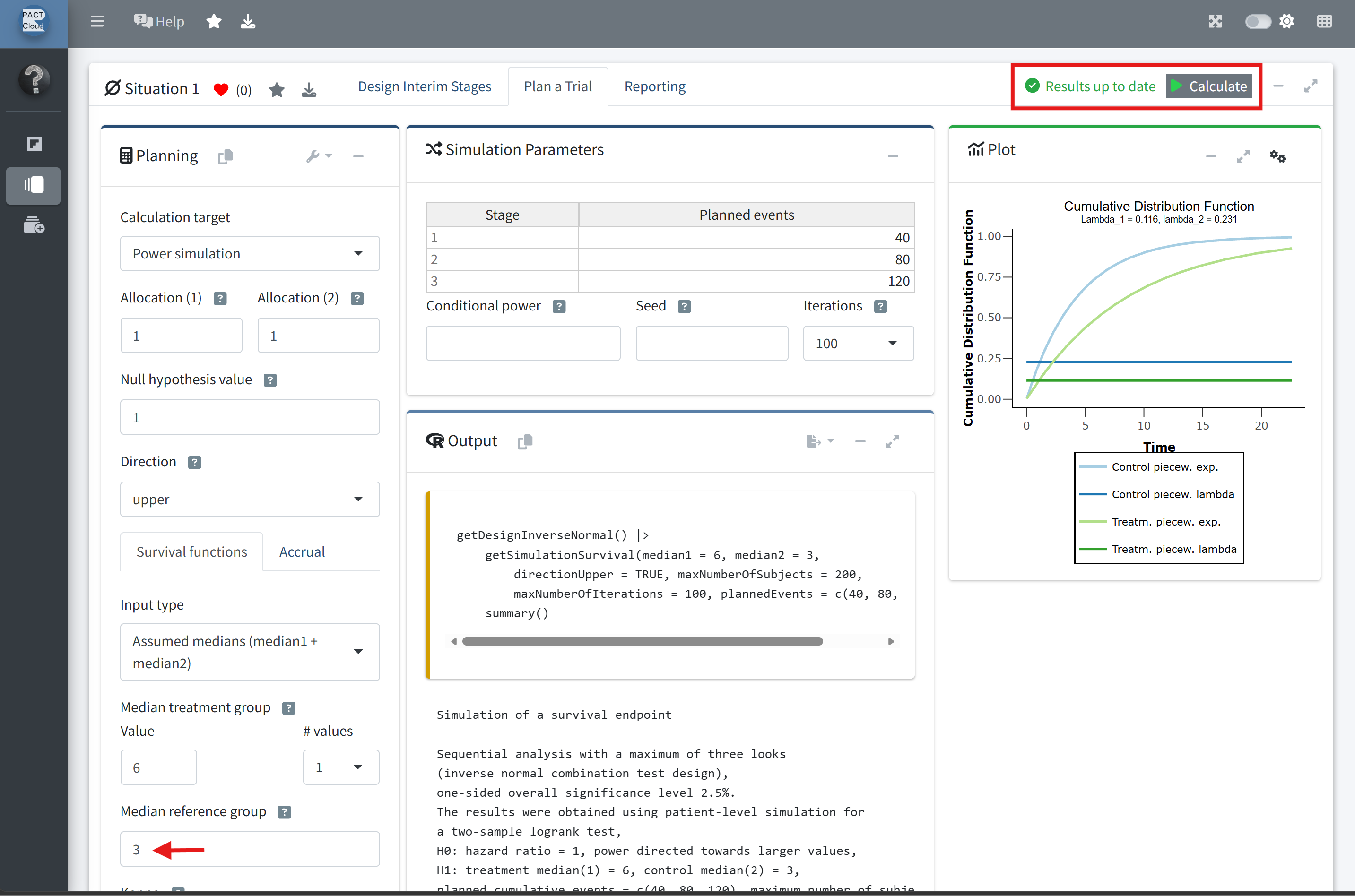
Green Results up to date status next to the Calculate button

Event-based calculation — Inputs changed
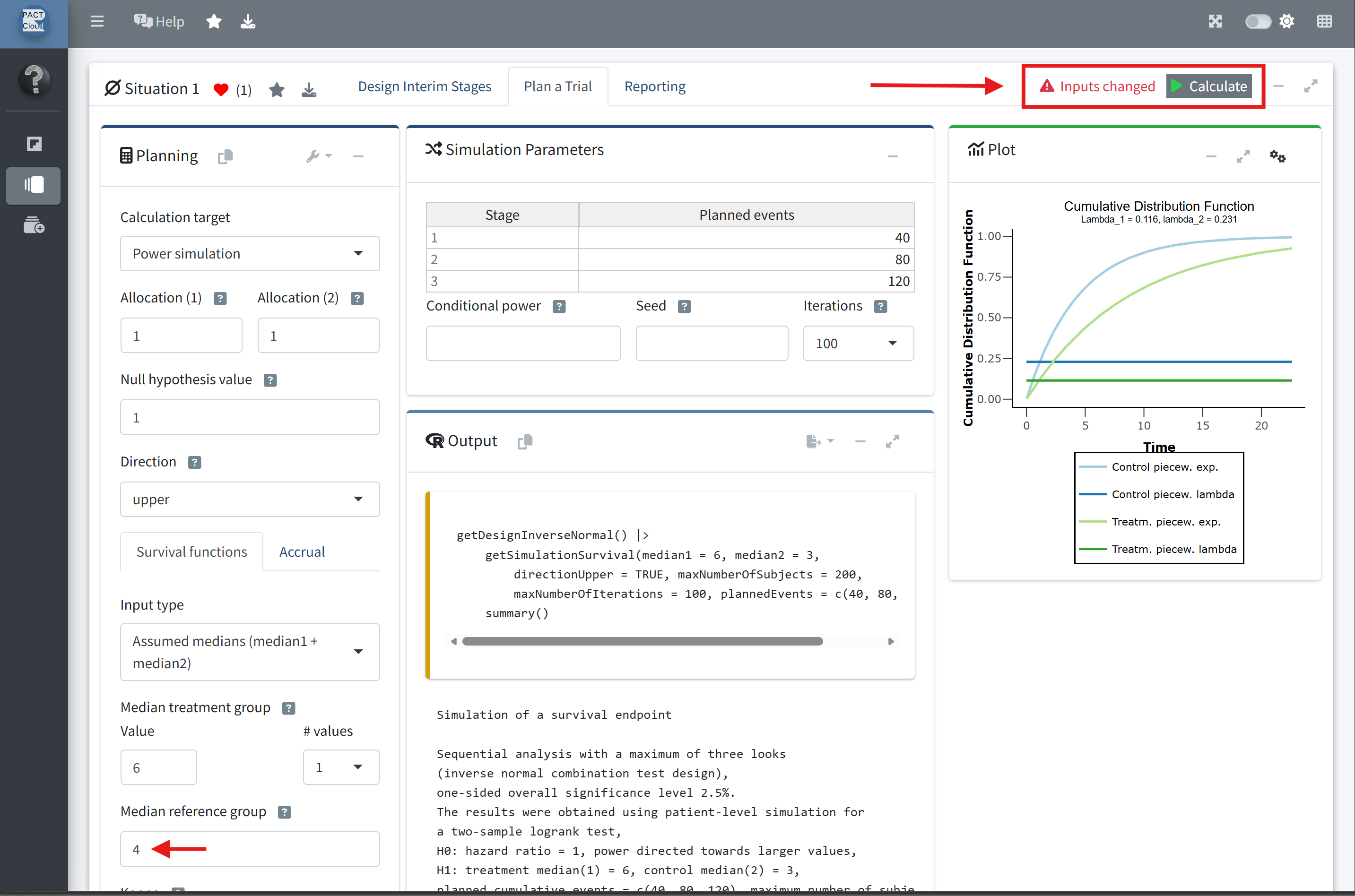
Inputs changed status after editing an input. Click Calculate to run again.

RPACT Cloud 3.0.0 — Comparison reports

  • One comparison drives the table, plot and report.
  • rpact-based. Uses the new rpact comparison feature (%vs%).
  • Report tab. Export R, R Markdown, Quarto, HTML or PDF with reproducible code, comparison tables and the selected plot. Wide PDF tables are split into blocks for readability.
  • Performance was taken into account. Simulation reports reuse saved results.

Comparison reports require rpact 5.0.0 or newer. Older versions can still use RPACT Cloud’s comparison tables and plots.

RPACT Cloud 3.0.0 — Comparison report example
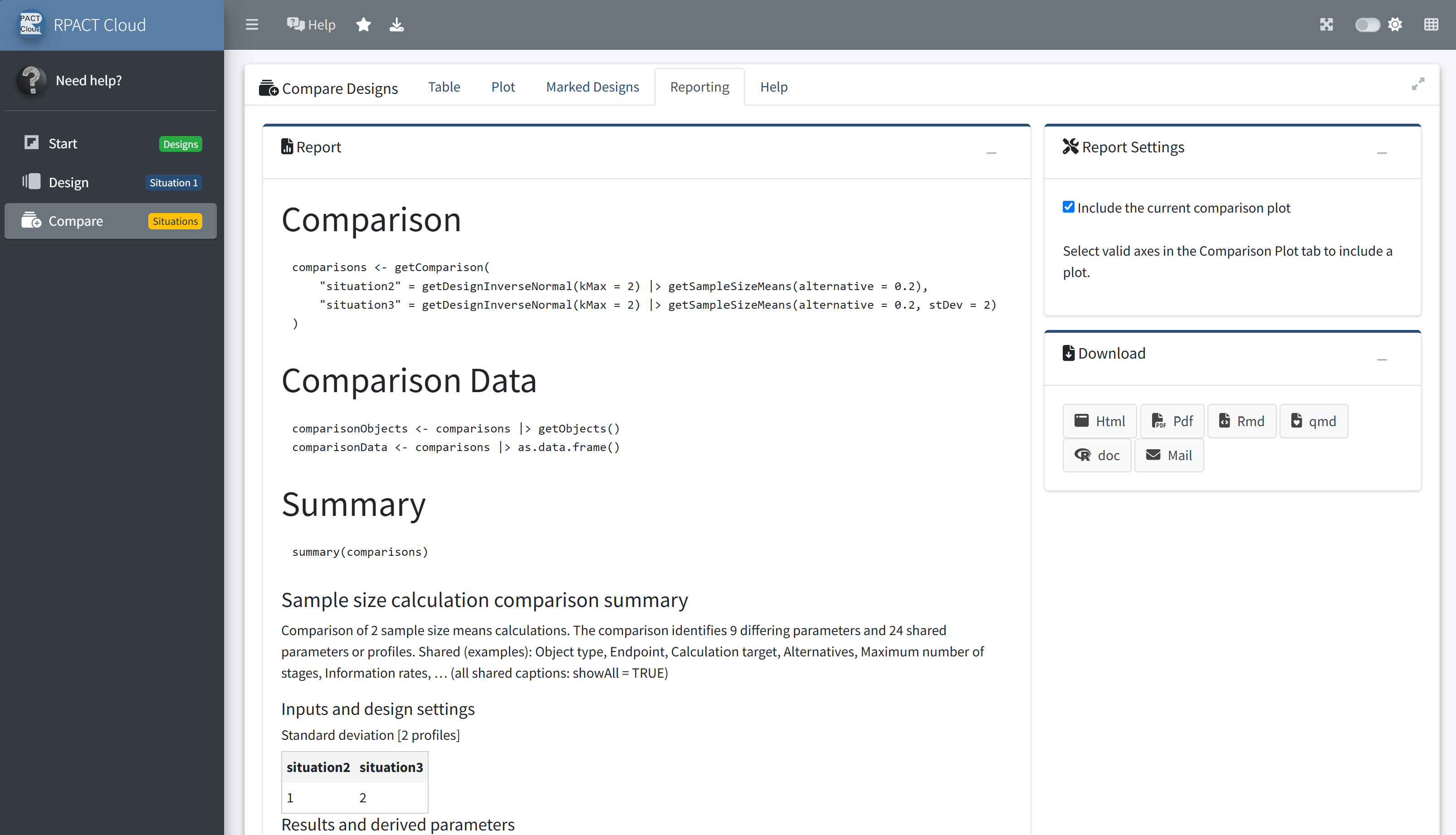
Comparison Tool reporting view with report preview and export options

RPACT Cloud 3.0.0 — Comparison reports

RPACT Cloud 3.0.0 — Patient-wise survival simulation

  • Multi-arm trials. With rpact 5.0.0 or newer, RPACT Cloud uses rpact’s new patient-wise simulation feature.
  • With earlier rpact versions, RPACT Cloud uses the test-statistic-based simulation.
RPACT Cloud 3.0.0 — Usability improved

  • Direction of benefit. Set directionUpper in the design itself, for example for an alternative with a hazard ratio below 1.
  • Numeric values can optionally be entered as fractions
  • Performance. Overall performance improved

RPACT Cloud 3.0.0 — Persistent logs for deployments

  • Retain internal logs beyond the R process to investigate issues after a session has ended.
  • Configure retention through inst/config.yml or environment variables. Store logs on a local or mounted path, or synchronize them to remote storage.
  • For internal deployments and Posit Connect, retained logs help support teams troubleshoot issues and provide a record for internal audits.

Current Work: New RPACT Cloud features coming soon

RPACT Cloud
  • Support of enrichment designs (planned for Q1/2027)